About Markate : Service Ops Platform
Markate is the Service Operations Platform that helps contractors and service businesses run their entire operation from one system. Markate is a powerful field service CRM, scheduling, dispatch, and invoicing platform...
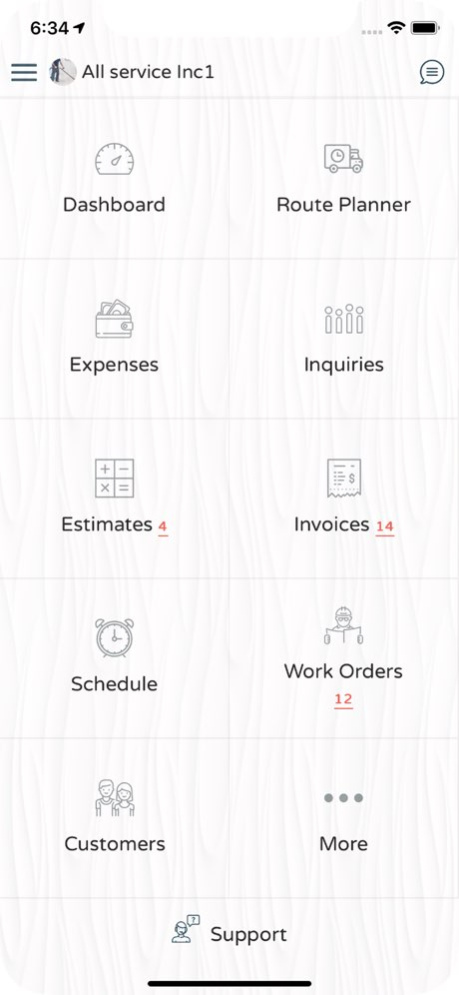
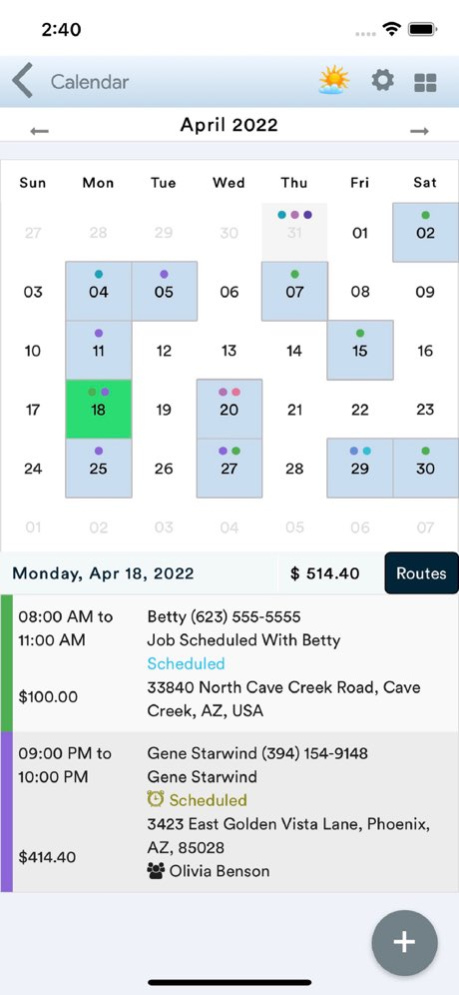
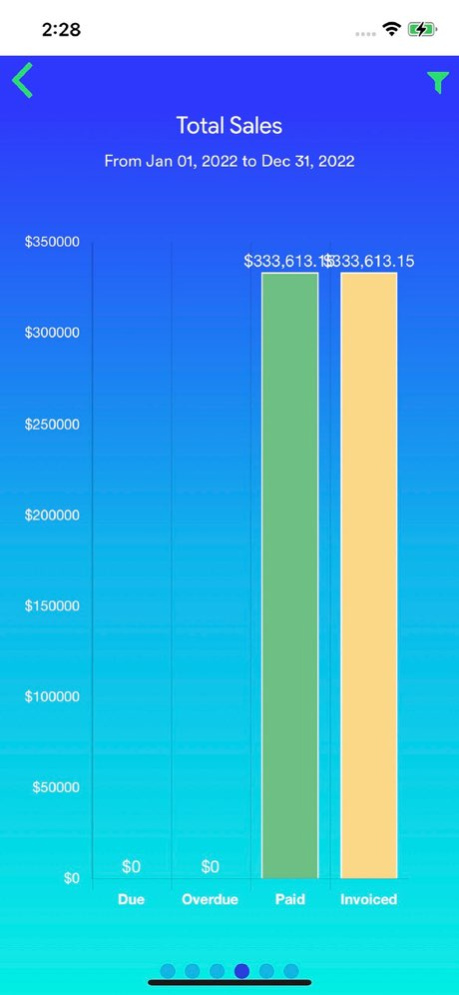
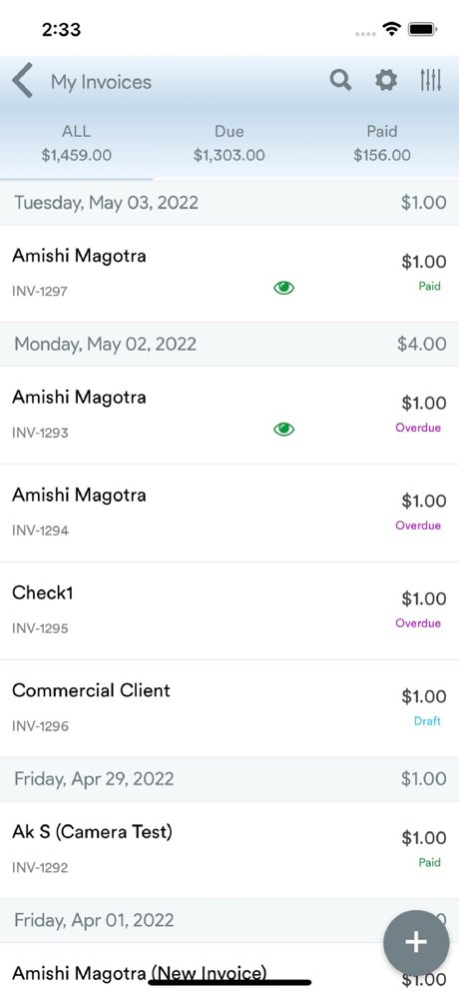
Markate is the Service Operations Platform that helps contractors and service businesses run their entire operation from one system. Markate is a powerful field service CRM, scheduling, dispatch, and invoicing platform designed for contractors and modern service businesses. From the first customer lead to the final payment, Markate connects every part of your service business into one platform. Manage customers, create estimates, schedule jobs, dispatch technicians, track field activity, send invoices, and grow your business - all from your phone or desktop. Markate is trusted by contractors, field service professionals, and growing service teams who want a modern and professional way to manage their operations. Run Your Entire Service Business on One Platform Markate helps service businesses manage: . Customers and communication . Estimates and pricing . Scheduling and dispatch . Field technicians and routes . Work orders and job tracking . Invoices and payments . Marketing and customer engagement . Business insights and reporting Platform Features Customer Operations Manage customers with CRM, service history, contacts, and communication tools. Sales Operations Create quotes, estimates, pricing lists, and approvals. Job Operations Schedule jobs, manage work orders, recurring services, and dispatch technicians easily. Fleet & Field Operations Route planning, technician location tracking, GPS maps, and field updates. Financial Operations Invoices, payments, accounting sync, expense tracking, and reporting. Growth Operations Marketing automation, reminders, online booking, and customer engagement tools. Tools for Field Teams . Create invoices, estimates, and schedules from the field . Automated appointment reminders via SMS and email . Capture before-and-after job photos . Customer signatures and secure credit card payments . Work order notifications for technicians . GPS navigation with Google Maps . Mileage and expense tracking Built for Contractors and Service Businesses Markate helps contractors run their business efficiently without juggling multiple tools. Manage your entire operation from one intuitive platform - whether you're in the office or in the field. Start your 14-day free trial and see how Markate transforms the way you run your service business. Integrations & Support . QuickBooks integration . Business insights and dashboards . Phone, email, and live chat support Join Thousands of Service Businesses Using Markate Download the app today and start running your entire service operation on one platform. Contact: support@markate.com Visit: https://www.markate.com
Previous Versions
Here you can find the changelog of Markate : Service Ops Platform since it was posted on our website on 2021-12-23 10:39:46.
The latest version is 5.7.0 and it was updated on 2026-10-07 00:05:28. See below the changes in each version.
Markate : Service Ops Platform version 5.7.0
Updated At: 2026-10-07
Changes: Version History Hotfix for Keyboard issue on Chat 5.7.0 Jun 17 Hotfix for calendar permission 5.6.9 Jun 12 - Artificial intelligence implementation in estimation
- Bug fixes 5.6.8 Jun 11 Hotfix 5.6.7 May 17 Hotfix for tax rate 5.6.6 May 11 Hot fix for displaying no Tax 5.6.5 May 2 Bug Fixes
Instructions to Staff View
changes in tax
Changes in Push notification
Changes in add item screen 5.6.4 Apr 30 - Added service address on lead.
- Fixed charts.
- Added filter on customer.
- Timer object changes api changes.
- Work-order timer for field tech(optimised).
- Subscription page fixed 5.6.3 Mar 18 Hot Fixes for Expense -Mileage, Image picker, FT notes access and phone Contacts access 5.6.2 Mar 7 1) Removed scrolling top once data loaded from all sections.
2) Message tab. Preserved the tab if we move from list to message and message to list(selected tab will be auto selected once we came from message page).
Lead listing
3) Image upload from gallery.(affected module: add-credit, customer-value, add-estimate, add-invoice, customer support, add-work order, work-order)
4) Work order -> Attache image -> photo section was not updating/refreshing.
5) Delete button on customer vault 5.6.1 Feb 28 Hide invoice tabs for other role accept pro and partner.
Removed card on file error message for field tech.
lead sorting
Push notification 5.6.0 Feb 24 -Updated design and user interface
- Service address on lead module
- Work-order disabled button ui changed.
- Notes on Recurring work-order.
- Allowed negative value on expense. 5.5.9 Feb 17 - bug fixes on work-order 5.5.8 04/22/2025 - Added expense attachments icons
- Added lead attachment icons
- Holidays displaying on multiple days.
- Customer info collapsed on estimate, invoice, work order preview pages.
- Preview customer page collapse all tabs.
- During free trial added schedule demo
- Changed primary Location to billing address on Customer Edit 5.5.7 11/19/2024 Dear Users, This is the hotfix to display total work order price for the holidays in the schedule. If you have feedback, please write to us at support@markate.com 5.5.6 10/17/2024 Square App opening in ios 18 Hotfix 5.5.5 10/04/2024 - Screen updates - Moved due amount below grand total on estimate.
- Schedule settings form has been updated
- Error message while saving a Lead has been fixed.
- Fixed the difference in Tax price on invoice, work order, estimate.
- Frequently switching between business accounts is made easier 5.5.4 09/25/2024 1. Chat page ui fixed for iPad
2. Virtual estimate design issue on iPad
3. After login/switch account chat not refreshing for current user.
4. Customer address book icon not displaying while creating new customer.
5. New customer not loading previous saved service address, additional address.
6. iPad Pro 12.9 customer -> “+ add “ button not working on estimate/ work order/ invoice.
7. Expense on work order
8. Add notes field on service address and displaying on work-order service location.
9. Lead -> new opportunity. Displaying on event after scheduling lead as service location.
10. Added notification on event detail page.
11. updated Facebook sdk. 5.5.3 08/23/2024 1. Fixed work order -> log time -> add/edit form sumit issue.
2. Added permission to work order-> log time(only owner and partner can add/edit)
3. Pro can search customer on message(chat) page and text directly (only if chat with customer active).
4. Hide customer search icon on chat.
5. Ui issue on iPad item-> item list.
6. Virtual estimator module employee permission for field tech
7. iPad calendar event size on weekly view.
8. Work order- arrival/start/stop notification increased text count limit to 300.
9. Customer filter -> order by “Date Added“.
10. Field tech can add new project on company cam.
11. Virtual estimate design update iOS iPad.
12. Service address on new customer add.
13. Included Today's report on chart.
14. Virtual estimate design issue on tab -> square area not displaying.
15. Customer filter removed -> order by service date. 5.5.2 07/13/2024 Following features are included in this release
1. schedule grey if invoice paid.
2. Timesheet on work-order added hrs paid for contractor.
3. iPad Pro 12.9 (2023-m2) ui fixed.
4. Referral share link on dashboard
5. Ui changes on virtual estimate added dropdown for distance. 5.5.1 05/30/2024 1. Convert to invoice from work order added options
2. Ui changes in dark mode convert to invoice dialog box.
3. Chat message text color ui changes
4. image rotate on upload from gallery
5. Inquiry notes text change to comment.
6. Added “payment fee” on invoice 5.5.0 04/24/2024 Hot fix To display a loader when loading the list for estimates, invoices and work orders. 5.4.9 03/03/2024 1. Schedule grey out paid invoice on weekly and daily view.
a. In case of month view dot will display grey
b. In case of week and day view tile will display in grey
1. Schedule Employee name for employee login.
2. iPad multiple image upload.
3. iPad calendar cutoff on tab. (Tried on iPad 11 working fine.)
4. instead of showing the landing page( no record available) on estimate invoice work order etc. displaying loader. 5.4.8 03/02/2024 1. Schedule display owner name, some time not displaying in schedule, if assigned work-order , need to view in detail page.
2. Invoice, estimate order by filter hide, on click of group by filter.
3. Back button issue on log time work-order loop.
4. Increase line height on inquiry detail page section header.
5. Added a indication icon on expense list for expense have attached image.
6. Fixed Dark mode share booking link page background white to black.
7. Fixed dark mode schedule event list bottom border and router display dialog background and colour.
8. Fix auto sync notification for offline schedule. 5.4.7 02/16/2024 - Hot fix screen orientation on signature pad. 5.4.6 01/24/2024
Markate : Service Ops Platform version 5.6.9
Updated At: 2026-06-14
Changes: Version History Hotfix for calendar permission 5.6.9 1d ago - Artificial intelligence implementation in estimation
- Bug fixes 5.6.8 2d ago Hotfix 5.6.7 May 17 Hotfix for tax rate 5.6.6 May 11 Hot fix for displaying no Tax 5.6.5 May 2 Bug Fixes
Instructions to Staff View
changes in tax
Changes in Push notification
Changes in add item screen 5.6.4 Apr 30 - Added service address on lead.
- Fixed charts.
- Added filter on customer.
- Timer object changes api changes.
- Work-order timer for field tech(optimised).
- Subscription page fixed 5.6.3 Mar 18 Hot Fixes for Expense -Mileage, Image picker, FT notes access and phone Contacts access 5.6.2 Mar 7 1) Removed scrolling top once data loaded from all sections.
2) Message tab. Preserved the tab if we move from list to message and message to list(selected tab will be auto selected once we came from message page).
Lead listing
3) Image upload from gallery.(affected module: add-credit, customer-value, add-estimate, add-invoice, customer support, add-work order, work-order)
4) Work order -> Attache image -> photo section was not updating/refreshing.
5) Delete button on customer vault 5.6.1 Feb 28 Hide invoice tabs for other role accept pro and partner.
Removed card on file error message for field tech.
lead sorting
Push notification 5.6.0 Feb 24 -Updated design and user interface
- Service address on lead module
- Work-order disabled button ui changed.
- Notes on Recurring work-order.
- Allowed negative value on expense. 5.5.9 Feb 17 - bug fixes on work-order 5.5.8 04/22/2025 - Added expense attachments icons
- Added lead attachment icons
- Holidays displaying on multiple days.
- Customer info collapsed on estimate, invoice, work order preview pages.
- Preview customer page collapse all tabs.
- During free trial added schedule demo
- Changed primary Location to billing address on Customer Edit 5.5.7 11/19/2024 Dear Users, This is the hotfix to display total work order price for the holidays in the schedule. If you have feedback, please write to us at support@markate.com 5.5.6 10/17/2024 Square App opening in ios 18 Hotfix 5.5.5 10/04/2024 - Screen updates - Moved due amount below grand total on estimate.
- Schedule settings form has been updated
- Error message while saving a Lead has been fixed.
- Fixed the difference in Tax price on invoice, work order, estimate.
- Frequently switching between business accounts is made easier 5.5.4 09/25/2024 1. Chat page ui fixed for iPad
2. Virtual estimate design issue on iPad
3. After login/switch account chat not refreshing for current user.
4. Customer address book icon not displaying while creating new customer.
5. New customer not loading previous saved service address, additional address.
6. iPad Pro 12.9 customer -> “+ add “ button not working on estimate/ work order/ invoice.
7. Expense on work order
8. Add notes field on service address and displaying on work-order service location.
9. Lead -> new opportunity. Displaying on event after scheduling lead as service location.
10. Added notification on event detail page.
11. updated Facebook sdk. 5.5.3 08/23/2024 1. Fixed work order -> log time -> add/edit form sumit issue.
2. Added permission to work order-> log time(only owner and partner can add/edit)
3. Pro can search customer on message(chat) page and text directly (only if chat with customer active).
4. Hide customer search icon on chat.
5. Ui issue on iPad item-> item list.
6. Virtual estimator module employee permission for field tech
7. iPad calendar event size on weekly view.
8. Work order- arrival/start/stop notification increased text count limit to 300.
9. Customer filter -> order by “Date Added“.
10. Field tech can add new project on company cam.
11. Virtual estimate design update iOS iPad.
12. Service address on new customer add.
13. Included Today's report on chart.
14. Virtual estimate design issue on tab -> square area not displaying.
15. Customer filter removed -> order by service date. 5.5.2 07/13/2024 Following features are included in this release
1. schedule grey if invoice paid.
2. Timesheet on work-order added hrs paid for contractor.
3. iPad Pro 12.9 (2023-m2) ui fixed.
4. Referral share link on dashboard
5. Ui changes on virtual estimate added dropdown for distance. 5.5.1 05/30/2024 1. Convert to invoice from work order added options
2. Ui changes in dark mode convert to invoice dialog box.
3. Chat message text color ui changes
4. image rotate on upload from gallery
5. Inquiry notes text change to comment.
6. Added “payment fee” on invoice 5.5.0 04/24/2024 Hot fix To display a loader when loading the list for estimates, invoices and work orders. 5.4.9 03/03/2024 1. Schedule grey out paid invoice on weekly and daily view.
a. In case of month view dot will display grey
b. In case of week and day view tile will display in grey
1. Schedule Employee name for employee login.
2. iPad multiple image upload.
3. iPad calendar cutoff on tab. (Tried on iPad 11 working fine.)
4. instead of showing the landing page( no record available) on estimate invoice work order etc. displaying loader. 5.4.8 03/02/2024 1. Schedule display owner name, some time not displaying in schedule, if assigned work-order , need to view in detail page.
2. Invoice, estimate order by filter hide, on click of group by filter.
3. Back button issue on log time work-order loop.
4. Increase line height on inquiry detail page section header.
5. Added a indication icon on expense list for expense have attached image.
6. Fixed Dark mode share booking link page background white to black.
7. Fixed dark mode schedule event list bottom border and router display dialog background and colour.
8. Fix auto sync notification for offline schedule. 5.4.7 02/16/2024 - Hot fix screen orientation on signature pad. 5.4.6 01/24/2024 1. Customer support image upload action sheet not hiding once click on it. Until operation done.
2. Work order (back button) loop.
3. While editing schedule all day event not populating(all day event checkbox not checked, if it is all day event).
4.
5. Optimisation on add location api call: it will called once in 2 min, if location changed in case of same lat, lng it will not called.
6. Optimisation on config api call : called once in 1 min and stored to local.
7. Optimisation on business api call: called once in 1 min and stored to local. (Upload image on business will call service, preview estimate ,invoice, work order will get locally stored configuration).
8. Optimisation on quick state api call: called once in 1 min and stored to local. 5.4.5 01/20/2024
Markate : Service Ops Platform version 5.6.6
Updated At: 2026-05-11
Changes: Version History Hotfix for tax rate 5.6.6 1h ago Hot fix for displaying no Tax 5.6.5 May 2 Bug Fixes
Instructions to Staff View
changes in tax
Changes in Push notification
Changes in add item screen 5.6.4 Apr 30 - Added service address on lead.
- Fixed charts.
- Added filter on customer.
- Timer object changes api changes.
- Work-order timer for field tech(optimised).
- Subscription page fixed 5.6.3 Mar 18 Hot Fixes for Expense -Mileage, Image picker, FT notes access and phone Contacts access 5.6.2 Mar 7 1) Removed scrolling top once data loaded from all sections.
2) Message tab. Preserved the tab if we move from list to message and message to list(selected tab will be auto selected once we came from message page).
Lead listing
3) Image upload from gallery.(affected module: add-credit, customer-value, add-estimate, add-invoice, customer support, add-work order, work-order)
4) Work order -> Attache image -> photo section was not updating/refreshing.
5) Delete button on customer vault 5.6.1 Feb 28 Hide invoice tabs for other role accept pro and partner.
Removed card on file error message for field tech.
lead sorting
Push notification 5.6.0 Feb 24 -Updated design and user interface
- Service address on lead module
- Work-order disabled button ui changed.
- Notes on Recurring work-order.
- Allowed negative value on expense. 5.5.9 Feb 17 - bug fixes on work-order 5.5.8 04/22/2025 - Added expense attachments icons
- Added lead attachment icons
- Holidays displaying on multiple days.
- Customer info collapsed on estimate, invoice, work order preview pages.
- Preview customer page collapse all tabs.
- During free trial added schedule demo
- Changed primary Location to billing address on Customer Edit 5.5.7 11/19/2024 Dear Users, This is the hotfix to display total work order price for the holidays in the schedule. If you have feedback, please write to us at support@markate.com 5.5.6 10/17/2024 Square App opening in ios 18 Hotfix 5.5.5 10/04/2024 - Screen updates - Moved due amount below grand total on estimate.
- Schedule settings form has been updated
- Error message while saving a Lead has been fixed.
- Fixed the difference in Tax price on invoice, work order, estimate.
- Frequently switching between business accounts is made easier 5.5.4 09/25/2024 1. Chat page ui fixed for iPad
2. Virtual estimate design issue on iPad
3. After login/switch account chat not refreshing for current user.
4. Customer address book icon not displaying while creating new customer.
5. New customer not loading previous saved service address, additional address.
6. iPad Pro 12.9 customer -> “+ add “ button not working on estimate/ work order/ invoice.
7. Expense on work order
8. Add notes field on service address and displaying on work-order service location.
9. Lead -> new opportunity. Displaying on event after scheduling lead as service location.
10. Added notification on event detail page.
11. updated Facebook sdk. 5.5.3 08/23/2024 1. Fixed work order -> log time -> add/edit form sumit issue.
2. Added permission to work order-> log time(only owner and partner can add/edit)
3. Pro can search customer on message(chat) page and text directly (only if chat with customer active).
4. Hide customer search icon on chat.
5. Ui issue on iPad item-> item list.
6. Virtual estimator module employee permission for field tech
7. iPad calendar event size on weekly view.
8. Work order- arrival/start/stop notification increased text count limit to 300.
9. Customer filter -> order by “Date Added“.
10. Field tech can add new project on company cam.
11. Virtual estimate design update iOS iPad.
12. Service address on new customer add.
13. Included Today's report on chart.
14. Virtual estimate design issue on tab -> square area not displaying.
15. Customer filter removed -> order by service date. 5.5.2 07/13/2024 Following features are included in this release
1. schedule grey if invoice paid.
2. Timesheet on work-order added hrs paid for contractor.
3. iPad Pro 12.9 (2023-m2) ui fixed.
4. Referral share link on dashboard
5. Ui changes on virtual estimate added dropdown for distance. 5.5.1 05/30/2024 1. Convert to invoice from work order added options
2. Ui changes in dark mode convert to invoice dialog box.
3. Chat message text color ui changes
4. image rotate on upload from gallery
5. Inquiry notes text change to comment.
6. Added “payment fee” on invoice 5.5.0 04/24/2024 Hot fix To display a loader when loading the list for estimates, invoices and work orders. 5.4.9 03/03/2024 1. Schedule grey out paid invoice on weekly and daily view.
a. In case of month view dot will display grey
b. In case of week and day view tile will display in grey
1. Schedule Employee name for employee login.
2. iPad multiple image upload.
3. iPad calendar cutoff on tab. (Tried on iPad 11 working fine.)
4. instead of showing the landing page( no record available) on estimate invoice work order etc. displaying loader. 5.4.8 03/02/2024 1. Schedule display owner name, some time not displaying in schedule, if assigned work-order , need to view in detail page.
2. Invoice, estimate order by filter hide, on click of group by filter.
3. Back button issue on log time work-order loop.
4. Increase line height on inquiry detail page section header.
5. Added a indication icon on expense list for expense have attached image.
6. Fixed Dark mode share booking link page background white to black.
7. Fixed dark mode schedule event list bottom border and router display dialog background and colour.
8. Fix auto sync notification for offline schedule. 5.4.7 02/16/2024 - Hot fix screen orientation on signature pad. 5.4.6 01/24/2024 1. Customer support image upload action sheet not hiding once click on it. Until operation done.
2. Work order (back button) loop.
3. While editing schedule all day event not populating(all day event checkbox not checked, if it is all day event).
4.
5. Optimisation on add location api call: it will called once in 2 min, if location changed in case of same lat, lng it will not called.
6. Optimisation on config api call : called once in 1 min and stored to local.
7. Optimisation on business api call: called once in 1 min and stored to local. (Upload image on business will call service, preview estimate ,invoice, work order will get locally stored configuration).
8. Optimisation on quick state api call: called once in 1 min and stored to local. 5.4.5 01/20/2024 - Fixed Inquiry copy address on copy icon click
- duplicate message timestamp on inquiry notes.
- Added Access code on customer and work-order on service address.
- inquiry list added icon with stage and status.
- Fixed alignment of Inquiry address copy and map icons
- Filter by status(won/lost) on inquiry
- Work-order max image upload count 10
- Added Access code on customer and work-order service address
- Work-order time tracker
- Schedule event route updated service address.
- Employee color on scheduling an event.
- Updated condition for field tech on assign employee and work order time tracker.
- Field tech can assign any work order task and event to him/her self by default. 5.4.4 09/12/2023 Dear Users, Following fixes are added to the release.- Print invoice estimate work order description color changes.
- Hide total and subtotal in package and option estimate when the estimate status is in Draft and submitted.
- Call button on estimate and invoice.
- Inquiry management system(listing, filters, details, add, edit, delete, assign employee, logs)
- Creating task from Inquiry and linking with task. 5.4.3 08/11/2023 - Multiple employee assignments on events, work order
- Disabled image cropping on support chat
- Resolved back issue on estimate(looping if edited estimated and clicked on preview title)
- Title changed to preview on work order and invoice.
- Email/sms is optional on resending the invoice.
- Updated sms/email condition on a reminder notification.
- Updated invoice/estimate total show hide condition(show/hide total for each section setting from web).
- Removed copy button from customer location on the work order.
- removed package estimate total.
- Blocked Event Overlap Check
- Hide total and subtotal in package and option estimate when the estimate status is in Draft and submitted
- Modified color on estimate/invoice/work-order print page. 5.4.2 07/01/2023
Markate : Service Ops Platform version 5.6.2
Updated At: 2026-03-07
Changes: Hot Fixes for Expense -Mileage, Image picker, FT notes access and phone Contacts access
Markate : Service Ops Platform version 5.5.8
Updated At: 2025-04-22
Changes: Apr 22, 2025
Version 5.5.8
- bug fixes on work-order
Markate : Service Ops Platform version 5.5.8
Updated At: 2025-04-22
Changes: - bug fixes on work-order
Markate : Service Ops Platform version 5.5.7
Updated At: 2024-11-19
Changes: Nov 19, 2024
Version 5.5.7
- Added expense attachments icons
- Added lead attachment icons
- Holidays displaying on multiple days.
- Customer info collapsed on estimate, invoice, work order preview pages.
- Preview customer page collapse all tabs.
- During free trial added schedule demo
- Changed primary Location to billing address on Customer Edit
Markate : Service Ops Platform version 5.5.5
Updated At: 2024-10-04
Changes: Oct 4, 2024
Version 5.5.5
Square App opening in ios 18 Hotfix
Markate : Service Ops Platform version 5.5.4
Updated At: 2024-09-25
Changes: Sep 25, 2024
Version 5.5.4
- Screen updates - Moved due amount below grand total on estimate.
- Schedule settings form has been updated
- Error message while saving a Lead has been fixed.
- Fixed the difference in Tax price on invoice, work order, estimate.
- Frequently switching between business accounts is made easier
Markate : Service Ops Platform version 5.5.3
Updated At: 2024-08-23
Changes: Aug 23, 2024
Version 5.5.3
1. Chat page ui fixed for iPad
2. Virtual estimate design issue on iPad
3. After login/switch account chat not refreshing for current user.
4. Customer address book icon not displaying while creating new customer.
5. New customer not loading previous saved service address, additional address.
6. iPad Pro 12.9 customer -> “+ add “ button not working on estimate/ work order/ invoice.
7. Expense on work order
8. Add notes field on service address and displaying on work-order service location.
9. Lead -> new opportunity. Displaying on event after scheduling lead as service location.
10. Added notification on event detail page.
11. updated Facebook sdk.
Disclaimer
Official App Store Link
We do not host Markate : Service Ops Platform on our servers. We did not scan it for viruses, adware, spyware or other type of malware. This app is hosted by Apple and passed their terms and conditions to be listed there. We recommend caution when installing it.
The App Store link for Markate : Service Ops Platform is provided to you by apps112.com without any warranties, representations or guarantees of any kind, so access it at your own risk.
If you have questions regarding this particular app contact the publisher directly. For questions about the functionalities of apps112.com contact us.